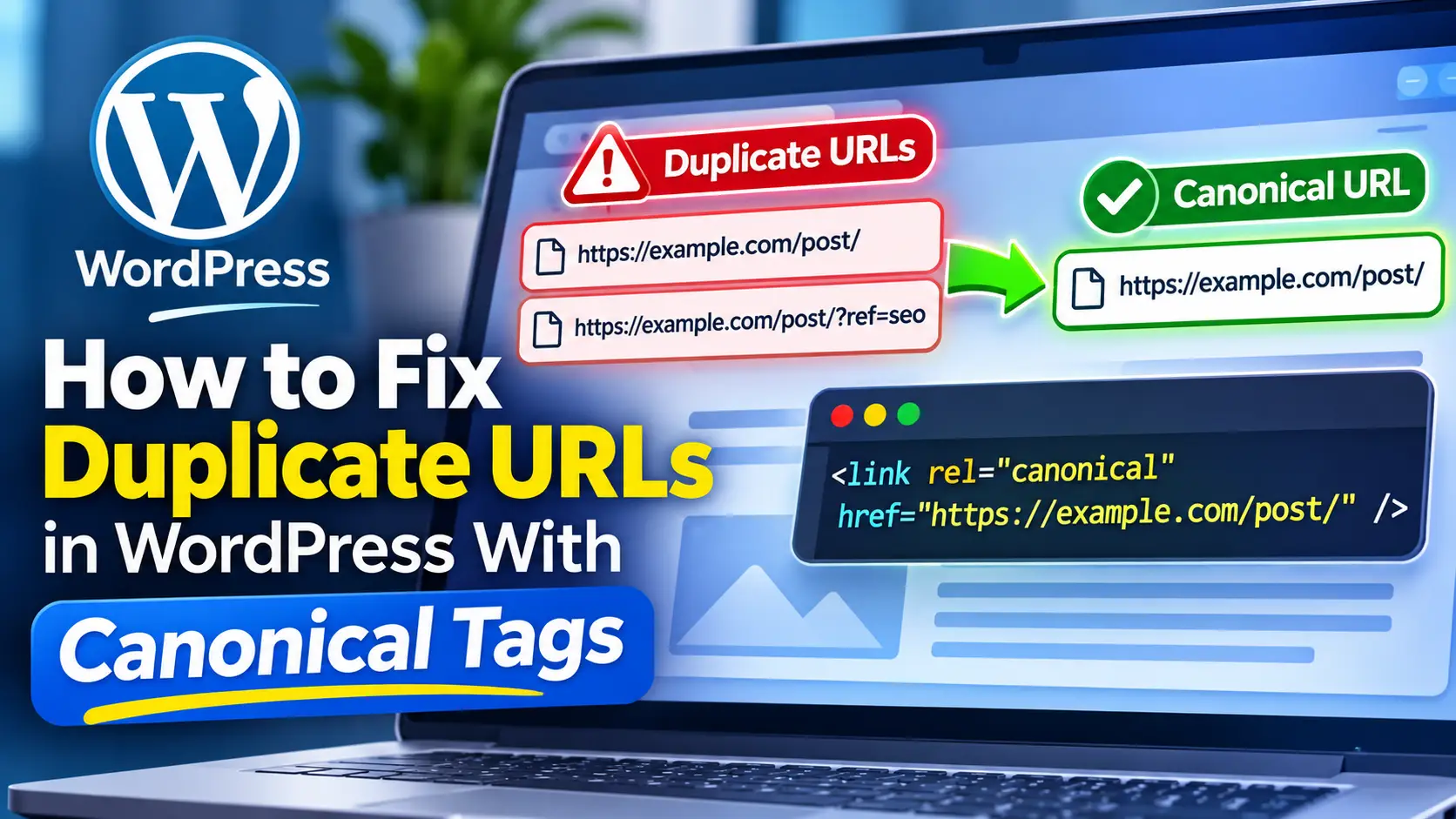
Duplicate URLs are a common WordPress SEO problem, especially on small-business sites that have changed domains, added plugins, or built campaign URLs over time. The good news is that duplicate content is not automatically a spam issue. The more practical problem is that search engines may see multiple versions of the same page and need help understanding which one should be treated as the main version.
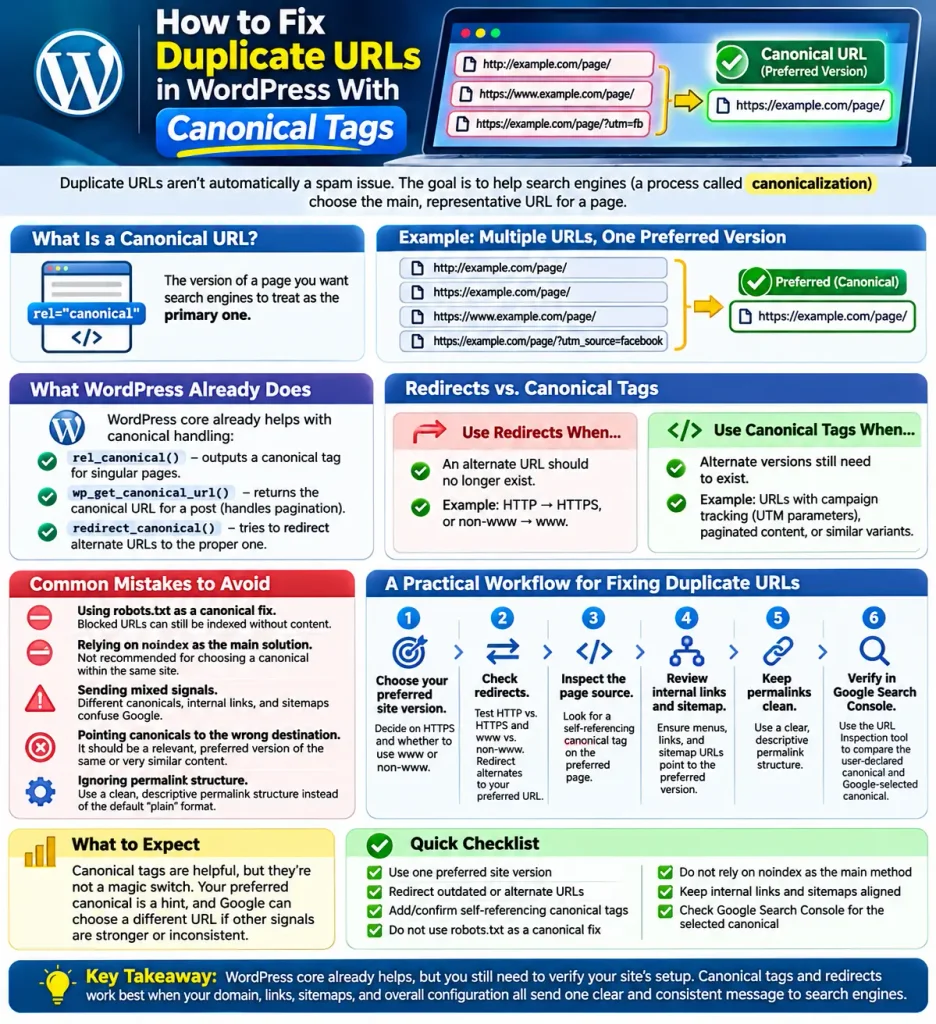
Google calls this process canonicalization: choosing the representative URL from a group of duplicate or near-duplicate pages. According to Google’s documentation on URL canonicalization, signals such as redirects, rel=”canonical”, and sitemap inclusion all help, but your preferred canonical is still a hint, not an absolute command.
For WordPress users, that means two things: first, core already helps with some canonical handling; second, you still need to check whether your site is sending clear and consistent signals.
What a canonical URL means in plain English
A canonical URL is the version of a page you want search engines to treat as the primary one.
For example, these may all lead to similar or identical content:
- http://example.com/page/
- https://example.com/page/
- https://www.example.com/page/
- https://example.com/page/?utm_source=facebook
If your preferred version is https://example.com/page/, your goal is to make that version clear through redirects, canonical tags, internal links, and sitemap entries.
This matters because Google may cluster duplicate URLs together and choose one as canonical. Clear signals can help consolidate reporting and avoid splitting attention across several versions of the same page. That does not guarantee rankings, but it is a sound technical SEO practice.
What WordPress already does by default
WordPress core is not starting from zero here. It already includes a rel_canonical() function that outputs a canonical tag for singular queries. It also has wp_get_canonical_url(), which returns the canonical URL for a published post and accounts for pagination when needed.
WordPress also includes redirect_canonical(), which attempts to redirect incoming requests to the proper URL. In practice, this can reduce issues caused by alternate forms of the same address.
That said, core behavior is only part of the story. SEO plugins, caching tools, reverse proxies, ecommerce plugins, multilingual setups, and custom themes can all affect what actually gets output on a live site. So even if WordPress supports canonical basics, you still need to verify what your specific setup is doing.
When to use redirects vs canonical tags
A simple rule of thumb is this:
- Use redirects when the alternate URL should no longer exist for visitors or search engines.
- Use canonical tags when alternate versions still need to exist, but you want one version treated as the main one.
Examples:
| Situation | Better fix | Why |
|---|---|---|
| Old HTTP page still loads | Redirect to HTTPS | Users and bots should end up on one secure version |
| www and non-www both work | Redirect one to the preferred version | Only one hostname should be primary |
| Campaign URL with tracking parameters | Canonical tag to the clean URL | The tracked URL may still be useful for marketing |
| Paginated content | Use the site’s intended canonical handling | Canonical behavior can vary by page context |
This is consistent with Google’s guidance that redirects are a strong canonical signal, while rel=”canonical” is a preferred way to specify canonicals when duplicate-like URLs remain available.
Common WordPress mistakes to avoid
1. Using robots.txt as a canonical fix
Google explicitly says not to use robots.txt for canonicalization. A blocked URL can still be indexed without its content, which means blocking duplicates does not solve the underlying canonical issue.
2. Relying on noindex as the main solution
Google also says noindex is generally not recommended as the main method for choosing a canonical within the same site. If the pages are duplicates or near-duplicates, rel=”canonical” is the preferred method.
3. Sending mixed signals
If your canonical tag points to one URL, your internal links point to another, and your sitemap lists a third, Google has to guess which one you really prefer. Consistency matters.
4. Pointing canonicals to the wrong destination
A canonical should point to the preferred version of the same or very similar content. Pointing it to an unrelated page, a broken URL, or a page that immediately redirects creates confusion rather than clarity.
5. Ignoring permalink structure
WordPress documentation recommends using a clean permalink structure instead of leaving the default “plain” format in place. You can review this in the WordPress Permalinks settings documentation. Clean URLs do not solve all duplication problems, but they make your site structure easier to manage.
A practical workflow for fixing duplicate URLs
Choose your preferred site version.
Decide whether your main site should use HTTPS, and whether it should use www or non-www. Then keep that choice consistent everywhere.Check that alternate versions redirect.
Test common variants like HTTP vs HTTPS and www vs non-www. If they all load separately, that is a clear cleanup opportunity.Inspect the page source.
Look for a self-referential canonical tag on the preferred page. Google recommends adding a self-referential canonical on the preferred version itself.Review internal links and sitemap entries.
Make sure menus, buttons, contextual links, and sitemap URLs all point to the preferred version, not a parameterized or alternate one.Keep permalink settings clean.
If your site still uses the default WordPress plain structure, consider switching to a cleaner format if appropriate for your site setup and migration plan.Verify Google’s view.
Use Google Search Console’s URL Inspection tool to compare the user-declared canonical and the Google-selected canonical. Google explains this workflow in its post on discovering and suggesting Google-selected canonicals.
What to expect after you add canonical tags
Canonical tags are helpful, but they are not a magic switch. Google says your preferred canonical is a hint, which means Google can choose a different URL if other signals are stronger or if your implementation is inconsistent.
That is why the best results usually come from combining several signals:
- consistent internal links
- self-referencing canonical tags
- redirects where old versions should disappear
- sitemaps that list preferred URLs only
- a clean permalink structure
Quick checklist
- Use one preferred site version
- Redirect outdated or alternate URL versions
- Add or confirm self-referencing canonical tags
- Do not use robots.txt as a canonical fix
- Do not rely on noindex as the main canonical method
- Keep internal links and sitemaps aligned with preferred URLs
- Check Google Search Console for the selected canonical
For WordPress site owners, the main takeaway is simple: core already helps, but it does not remove the need for verification. If your site has duplicate URL paths, campaign parameters, or plugin-generated variations, canonical tags and redirects work best when the whole setup sends one clear message.
Sources
- What is URL Canonicalization | Google Search Central | Documentation | Google for Developers
- How to Specify a Canonical with rel=”canonical” and Other Methods | Google Search Central | Documentation | Google for Developers
- rel_canonical() – Function | Developer.WordPress.org
- wp_get_canonical_url() – Function | Developer.WordPress.org
- redirect_canonical() – Function | Developer.WordPress.org
- Settings Permalinks screen | Documentation | WordPress.org
- How to discover and suggest Google-selected canonical URLs for your pages | Google Search Central Blog | Google for Developers
- SEO Starter Guide: The Basics | Google Search Central | Documentation | Google for Developers